

Overview

SignIn component is a user interface element for handling user sign-in. It includes fields for email and password, OAuth section and provides callbacks for handling sign-in completion and for navigation to sign-up and forgotten password pages.
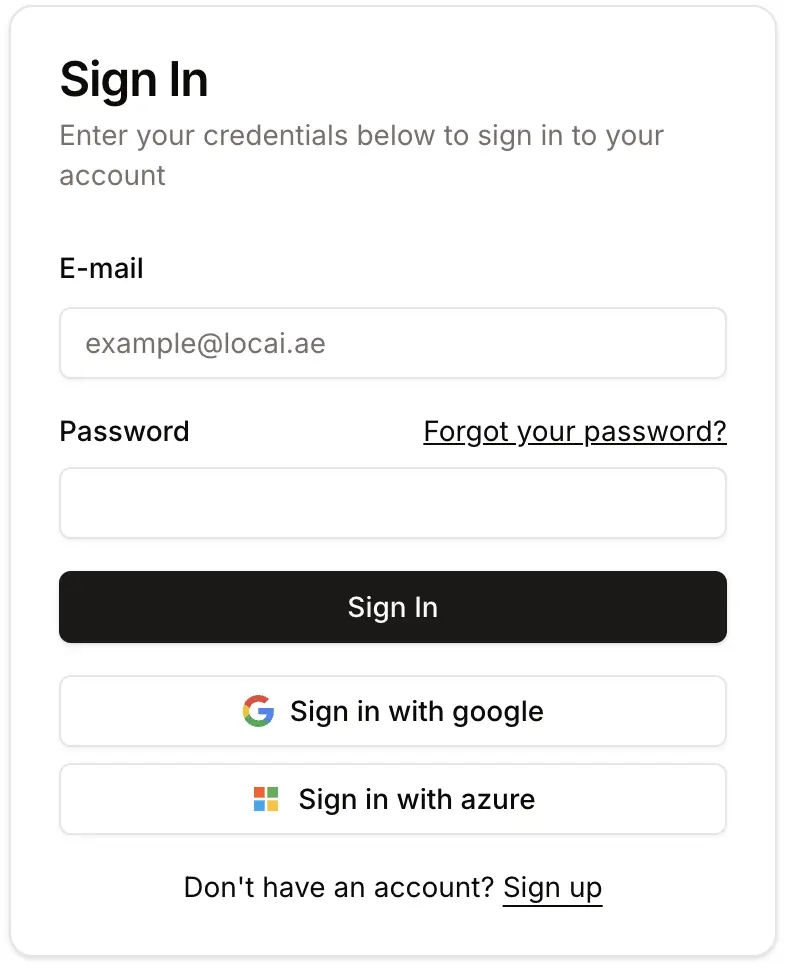
You can not customize this component layout structure, design or content.
<SignIn /> form

<SignIn /> form

Props

onComplete
callback
required
A callback function that is called when the sign-in process is successfully completed.
onSignUpClick
callback
An optional callback function that is called when the user clicks the sign-up link.
onForgotPasswordClick
callback
An optional callback function that is called when the user clicks the “forgot password” link.

Example Usage

Reference:
sign-in.tsx
'use client';

import { useCallback } from 'react';
import { useRouter } from 'next/navigation';

import { SignIn } from '@locai1/iam-react';

import { FORGOT_PASSWORD_PAGE, HOME_PAGE, SIGN_UP_PAGE } from '@/const';

export const SignInComponent = () => {
  const { push } = useRouter();

  const handleSignInComplete = useCallback(() => {
    push(HOME_PAGE);
  }, []);

  const handleSignUpClick = useCallback(() => {
    push(SIGN_UP_PAGE);
  }, []);

  const handleForgotPasswordClick = useCallback(() => {
    push(FORGOT_PASSWORD_PAGE);
  }, []);

  return (
    <div className="flex items-center justify-center min-h-screen bg-gray-100">
      <SignIn
        onComplete={handleSignInComplete}
        onSignUpClick={handleSignUpClick}
        onForgotPasswordClick={handleForgotPasswordClick}
      />
    </div>
  );
};