

1
To add the Azure AD Identity Provider to your application, you need to register your application with IAM server,
for this you need clientId and clientSecret of Azure AD application.Above call will return the id of the identity provider created along with the callback url.
Follow the steps to
register your application with Azure AD.If you already have an application registered with Azure AD, you can get the clientId and clientSecret from the
Azure AD API Console , refer here.
Tenant Types
When configuring thetenantType for Azure AD, you have several options to choose from, each catering to different scenarios:-
AZURE_AD_TENANT_TYPE_COMMON: This tenant type allows both personal Microsoft accounts and organizational accounts. Use this if you want your application to support both types of users. -
AZURE_AD_TENANT_TYPE_ORGANISATIONS: This tenant type restricts access to users with organizational (work or school) accounts only. Choose this option if your application is intended solely for business or educational users. -
AZURE_AD_TENANT_TYPE_CONSUMERS: This tenant type is for personal Microsoft accounts only, excluding organizational accounts. Select this if your application is meant for individual users with personal Microsoft accounts.
AZURE_AD_TENANT_TYPE_COMMON - If you do not specify a tenantType, this will be the default value used.2
You can then use the above callback url and add it to 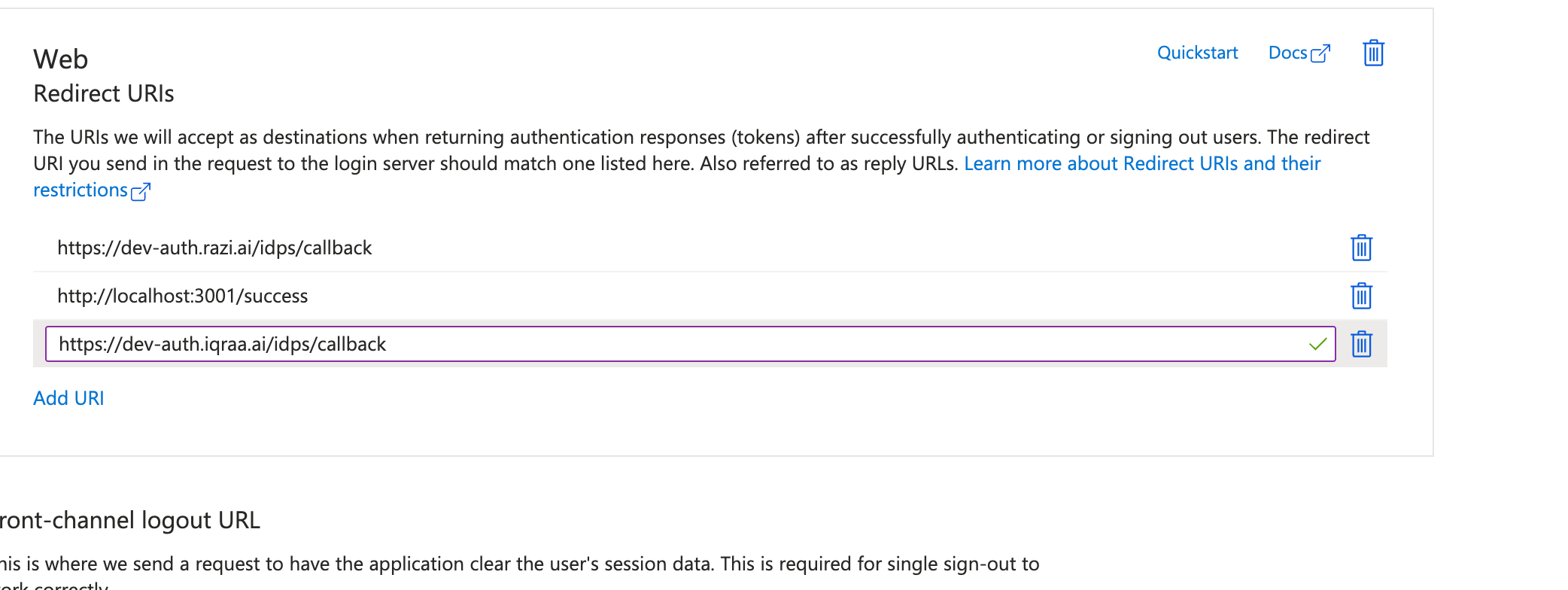
Authorized redirect uris in the Micorosoft configs.