

Organization Management
Machine User Flow
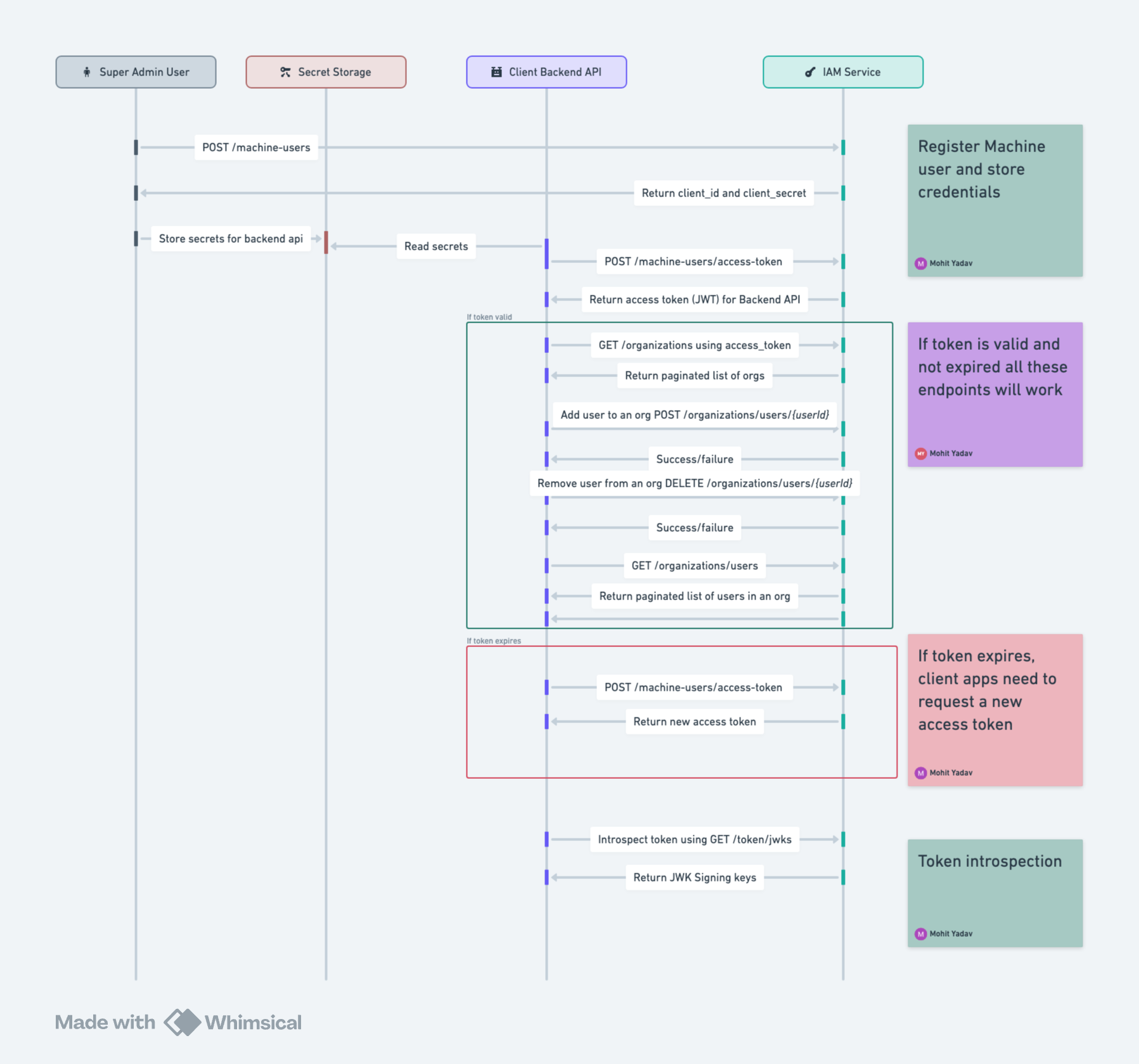
For using IAM in a multi-tenant environment, we need to create a machine user which acts as a bridge between IAM and the application.
You need to make sure to register a machine user using super admin token as mentioned here.
After creating a machine user for your app.
You can use below endpoint to request an access token:
The above will return an access token which can be used to make requests to the API and also for authorizing service to service communication using jwks.
The sequence diagram for the machine user flow is as follows: