> ## Documentation Index
> Fetch the complete documentation index at: https://iam-docs.razi.ai/llms.txt
> Use this file to discover all available pages before exploring further.
#
## Overview
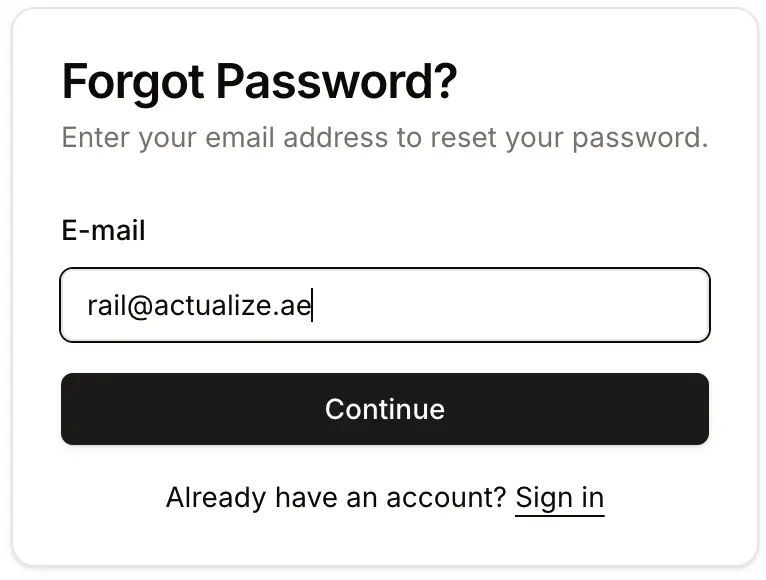
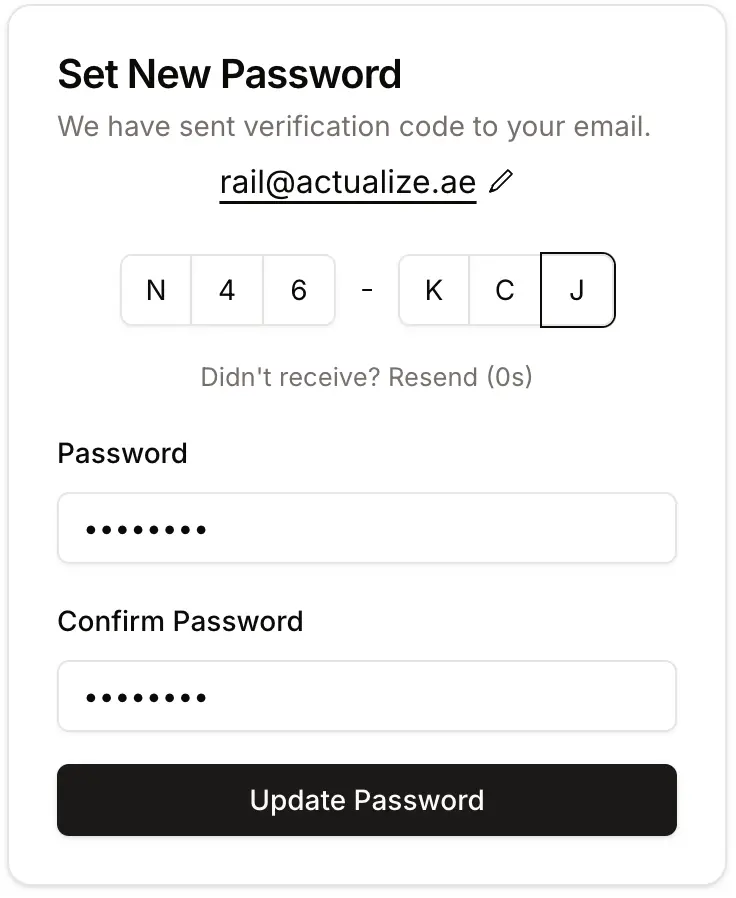
**ForgotPassword** component is a user interface element for handling the forgot password process.
It includes steps for requesting a code by user e-mail and updating the password. It provides callbacks for handling
the completion of the process and navigation to the sign-in page.
You can not customize this component layout structure, design or content.
 ## Props
A callback function that is called when the forgot password process is successfully completed.
A string representing the URL to reset the password.
An optional callback function that is called when the user clicks the sign-in link.
## Example Usage
**Reference**:
* Demo Next.js project [source code](https://github.com/LocAI1/iam-javascript-sdk/blob/main/apps/iam-react-example)
* ForgotPassword page demo [source code](https://github.com/LocAI1/iam-javascript-sdk/blob/main/apps/iam-react-example/src/components/forgot-password.tsx)
```typescript forgot-password.tsx
'use client';
import { useCallback } from 'react';
import { useRouter } from 'next/navigation';
import { ForgotPassword } from '@locai1/iam-react';
import { SIGN_IN_PAGE } from '@/const';
export const ForgotPasswordComponent = () => {
const { push } = useRouter();
const handleForgotPasswordComplete = useCallback(() => {
push(SIGN_IN_PAGE);
}, []);
const handleSignInClick = useCallback(() => {
push(SIGN_IN_PAGE);
}, []);
const resetPasswordUrl = typeof window !== 'undefined' ?
`${window.location.origin}/forgot-password?code={{code}}` :
`/forgot-password?code={{code}}`;
return (
## Props
A callback function that is called when the forgot password process is successfully completed.
A string representing the URL to reset the password.
An optional callback function that is called when the user clicks the sign-in link.
## Example Usage
**Reference**:
* Demo Next.js project [source code](https://github.com/LocAI1/iam-javascript-sdk/blob/main/apps/iam-react-example)
* ForgotPassword page demo [source code](https://github.com/LocAI1/iam-javascript-sdk/blob/main/apps/iam-react-example/src/components/forgot-password.tsx)
```typescript forgot-password.tsx
'use client';
import { useCallback } from 'react';
import { useRouter } from 'next/navigation';
import { ForgotPassword } from '@locai1/iam-react';
import { SIGN_IN_PAGE } from '@/const';
export const ForgotPasswordComponent = () => {
const { push } = useRouter();
const handleForgotPasswordComplete = useCallback(() => {
push(SIGN_IN_PAGE);
}, []);
const handleSignInClick = useCallback(() => {
push(SIGN_IN_PAGE);
}, []);
const resetPasswordUrl = typeof window !== 'undefined' ?
`${window.location.origin}/forgot-password?code={{code}}` :
`/forgot-password?code={{code}}`;
return (
);
};
```